WildMon
2026
CHORUS
A 0>1 bioacoustic monitoring platform enabling communities across Latin America to conduct AI analysis without relying on external expertise

TL:DR
Problem
Protected areas across Latin America are protected on paper but not monitored in practice — leaving reserves with no way to know if they’re actually meeting their conservation goals.
Without the tools or expertise to monitor their own land, reserves depend on scarce outside experts for a slow, bottlenecked process, making it difficult to guide management decisions or make the case for conservation financing.
Solution
A 0-to-1 platform that lets both experts and non-experts run the entire monitoring workflow themselves — from adding a recording site to seeing validated results on a dashboard.
Role
Solo Product Designer
Timeline
7 months
Platform
Web application
Partners
WildMon, Audubon, Bezos Earth Fund
Context
What is bioacoustics monitoring?
Bioacoustic monitoring identifies which species live in an ecosystem by analyzing the sounds they make, rather than relying on sightings. It matters because most wildlife is hard to observe directly, while sound offers a way to track biodiversity continuously and at scale.

Record
Audio recorders are deployed in reserves around the world, capturing sound continuously for weeks or months.
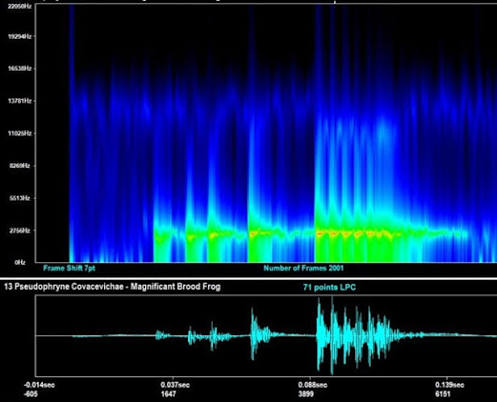
Analyze
The recordings are processed by species-recognition models trained to identify calls in the audio.

Output
The result is a record of which species were detected, and when and where - data that can then be visualized, reported, or acted on however a given project needs.
Research
User journey: running a bioacoustics monitoring project
I conducted qualitative interviews with scientists and project managers from WildMon, as well as with our partner Audubon to map out the current processes and pain points when running a project.

Running a biodiversity monitoring project relied on external experts, and left community collaborators disconnected from the results of their field collection work.
Future state
The goal was to create a platform that would enable local collaborators to be involved in all stages of the pipeline - allowing them to run biodiversity monitoring projects on their own, without relying on external expertise.
The roadmap
This project focused on designing, building and shipping the MVP.

feature: Importing sites
Importing sites is where the biggest data-quality risk enters the platform
Everything downstream depends on getting coordinates right.
The problem
We had no control over how coordinates were captured. Capturing coordinates in the field was out of scope for this project — all we could do was catch bad data on the way in.
The approach
We built the importer around the existing CSV export. Available field tools already export as CSV, so we designed guardrails around that format instead of requiring a new one — flagging problematic coordinates and blocking genuinely bad ones from entering the project at all.
Initial design
An interactive review & confirm modal let users spot warnings and fix errors on the spot. Duplicate coordinates and existing site names surfaced as warnings; invalid coordinates were blocked outright.
But this design was too complex for an MVP. Engineering feasibility ruled out inline correction for this release.

The compromise
We iterated to reduce the MVP scope. Users would be alerted to warnings and errors, but had to make corrections in a CSV and re-upload it, rather than fixing them on the spot.
Usability testing scored well on both, but surfaced two issues:
Everyone downloaded the report right after seeing errors, before ever reaching the warnings screen.
It wasn’t clear “download report” meant a CSV — some assumed they’d have to reopen their original file and hunt for the problems themselves.

Final MVP design
Errors and warnings are introduced on the same screen, and button CTA clarifies that report is a CSV.

Species list
Balancing the needs of experts and non-experts
For the AI to detect species in a recording, someone first has to tell it what to listen for. A list of potential species could be generated in 3 ways:
Region of interest: an occurrence database could pull up species that have been detected in a certain radius around each site.
Search: manually search and add species to the list.
CSV import: import an existing species list.
Initial design
Automated list generation by region of interest. The team was focused on automating whatever was possible. Here it meant starting the generation flow by asking users what animal group they were looking to detect (to determine appropriate taxonomy and occurrence database), and then automatically generating the species list by region of interest.

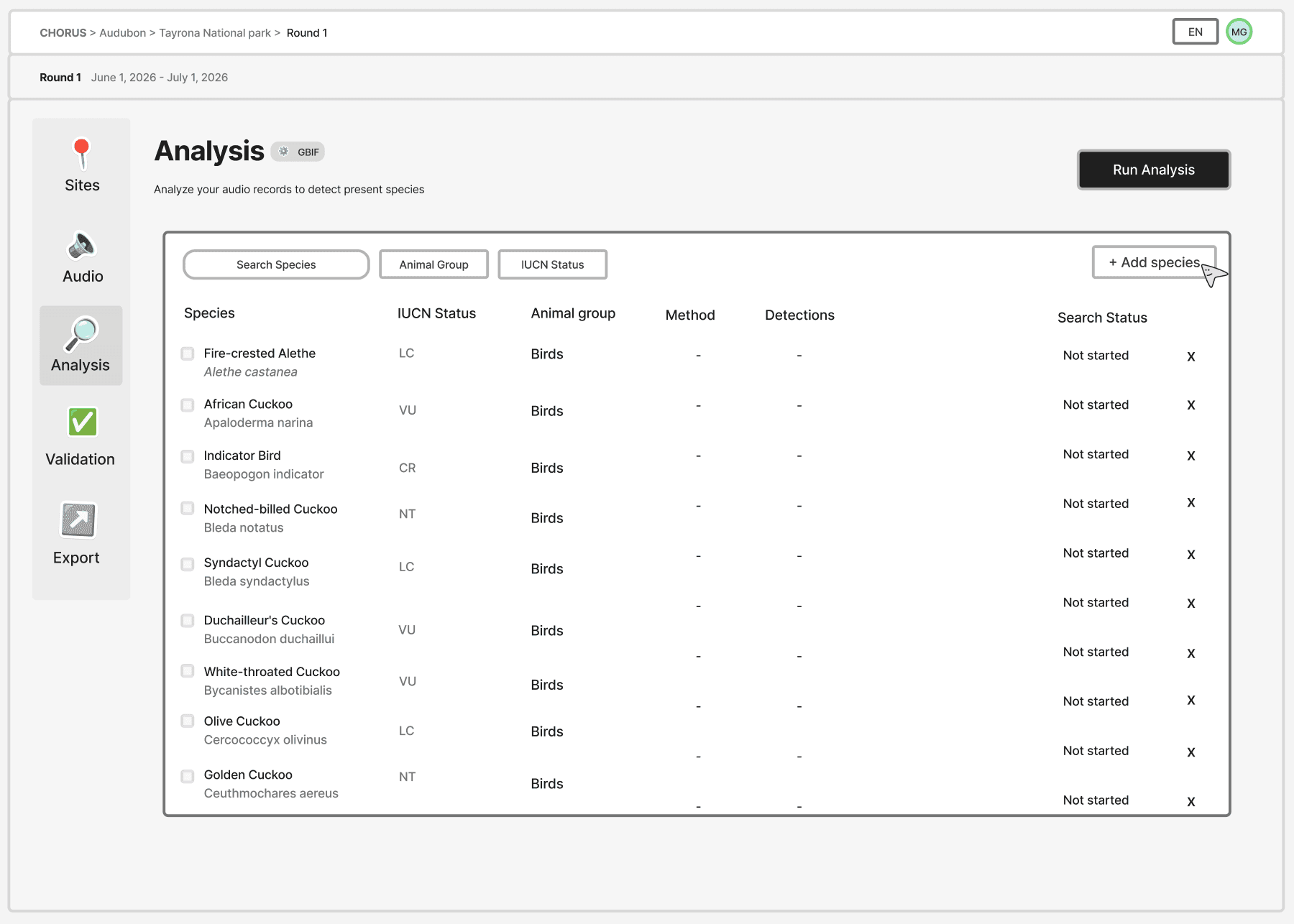
The risk
While this would serve most non-experts, it potentially added difficulty for expert users. Those who wanted to manually select what species to search for, or had a CSV list to import, had to first delete the generated list, and then populate species from their preferred method.
For those who were actually interested in the region of interest generated list, there was no clarity on how the list was generated.


A product pivot: reducing MVP scope
Due to tight project deadlines, a decision was made to only enable eBird as a taxonomy option for the MVP (to meet the deadlines of our partner’s upcoming project). With the removal of the taxonomy question, and the principle of “automate whenever possible”, the plan was simple: drop the taxonomy screen, and instantly generate the species list for the user (still based on region of interest).
But… I realized this caused a major problem
Dropping the question didn’t just remove a step — it removed a deliberate moment when the species list was built. Removing that trigger raised two risks:
Without a clear starting point, a manually-curated list could get automatically edited or overwritten when new sites are added.
If generation now runs every time a site is added, the “new potential species” banner (an already established warning logic) could fire after every single site addition.
The change: asking the user for their preference upfront
I pushed for a solution that would solve both problems: bring the question back — not about taxonomy anymore, but about how someone wants to build their list in the first place.
This better served all user groups, as users with different list generation preferences had their own path, and brought back the trigger that could notify the user when their list had gone stale. It also gave users who chose the region-of-interest method a clear moment where the system could explain how their list was generated — closing the transparency gap experts had run into earlier.

Validation
Turning ephemeral filters into named validation strategies
For every species, a human has to manually validate all the clips detected by the AI to ensure they are a true presence of the species. Validation was the most manual-effort step in the pipeline — up to three weeks of full-time review on large projects.
The current state
This was a section in the pipeline that already had an interface, but it had some problems…
Strategies as filters: the interface already had a way to filter clips to review based on their goal, except it lived under “sort”. Filters were used constantly, but they were ephemeral with no permanence.


The current progress tracker was useless: it did not reflect the user’s filters on the page, so it kept measuring against every detection recorded. A user could see “76% unreviewed” while knowing that 76% was never going to be touched anyways.
Non-experts also had no way to know which validation strategy actually fit their goal. The current state only served expert users — choosing a strategy meant already understanding what each one was optimized for.
User needs
WildMon’s own biodiversity scientists were the ones most familiar with the current interface. I conducted informal qualitative interviews with 3 scientists to understand their process and pain points in depth.
Non-expert validators needed to focus their effort on the detections that actually mattered.
Project coordinators needed a way to track progress to manage time and resources.
Validators needed to work toward two strategies at once — one validating for model training while another validated for species inventory, on the same project.
The strategy
It’s unnecessary to validate all detections. Depending on the goal of the project, validators might only need to validate the top n detections of each species for each site, or for each day. If a user is interested in training a model, they would need to validate n detections across each confidence band.
My idea was to remove goal-related filters from the page and turn them into something structural and persistent: a named validation strategy that didn’t just filter the detections on the page, but explicitly scoped what “complete” meant.

“Best per site” became a strategy instead of a filter — giving the tracker a defined scope to measure against, and giving non-experts a named, chooseable path toward the detections worth their time.
Iterating on who sets the strategy
Initially, project admins added strategies that reflected their project goals directly to the project, and validators only had access to those. Validators had no flexibility to explore strategies outside what an admin had added — too much reliance on admin configuration.
We opened access to every strategy, let validators create their own, and let admins signal the project’s goals to guide validators to the ideal validation methods. But the same modal had to serve both first-time setup and later swaps, and its copy only worked for one.


I wanted to separate setting a project goal (an action that changes things universally for all users) from swapping strategies (a more dynamic “view” that any user can change at any time). Combining them into one bar meant a single panel serving two different actions with one CTA: a personal swap shouldn’t need confirmation, but a project-wide goal change should.
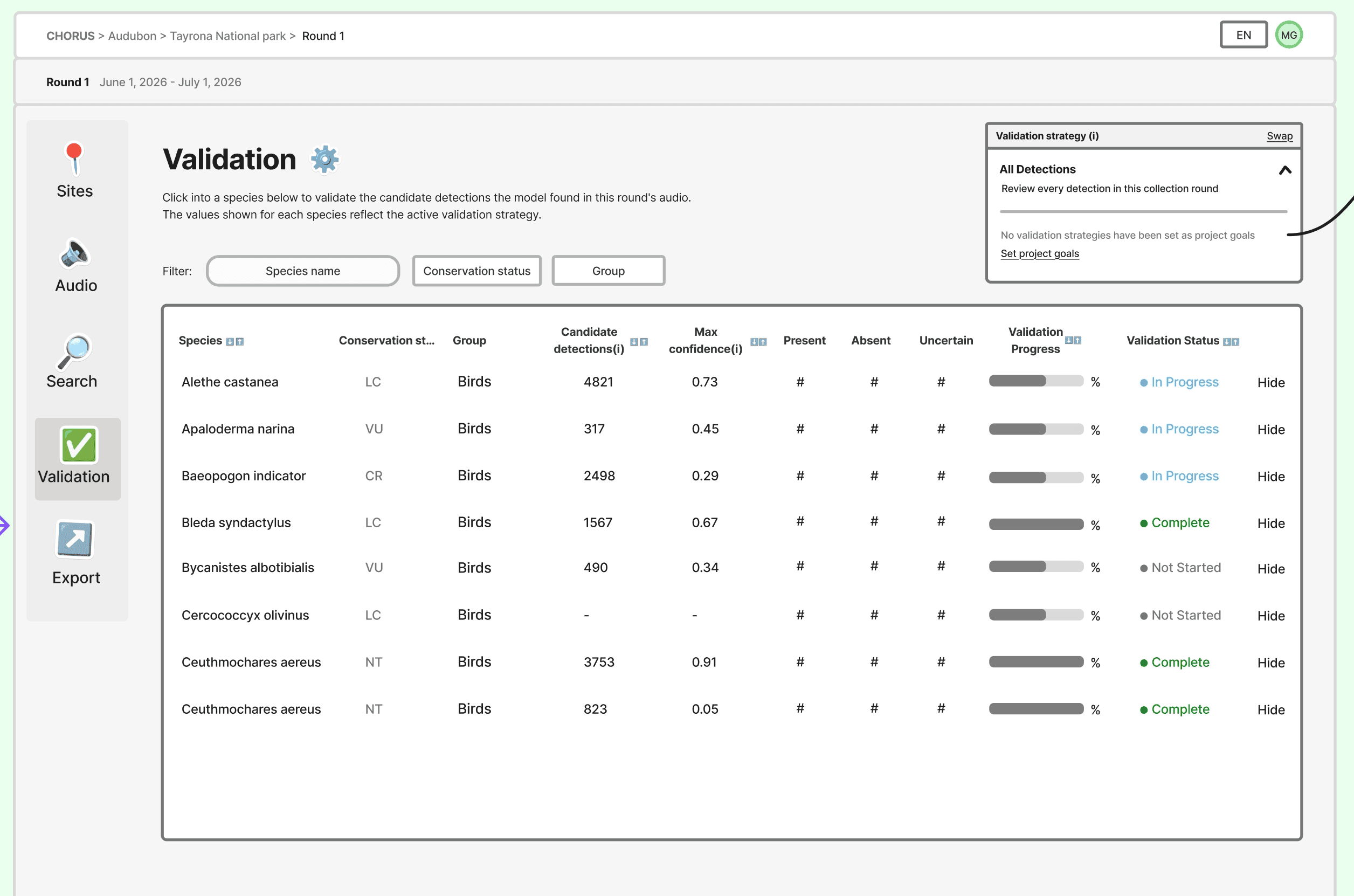

Final MVP design
The fix was structural, not just cosmetic: split the panel into two tabs. Strategies lets anyone switch their own view instantly, with an explicit note that it doesn’t affect what other users see. Project goals is admin-only, requires an explicit save, and marks the team’s recommended default. Same underlying data, two interfaces — because they were never really the same action.
